

 English






































































How to Use Free AI Tools to Automate Your Budget (2026)


Artificial Intelligence is the most powerful technological lever of the decade, yet the vast majority of people are using it as a glorified search engine or a tool to write emails. If you are serious about optimizing your life in 2026, you must pivot from using AI for “content” to using AI for “cash flow.”
For years, the biggest hurdle to personal wealth building has been the friction of budgeting. Manually categorizing hundreds of monthly transactions in a spreadsheet is exhausting, which is why 80% of North Americans fail to maintain a budget past February.
But what if you had a brilliant, ruthless financial analyst working for you 24/7, for free?
By utilizing everyday AI hacks with tools like ChatGPT, Claude, or Google Gemini, you can eliminate the manual labor of expense tracking. Here is the exact, step-by-step system on how to use free AI tools to automate your budget, identify your financial leaks, and redirect thousands of dollars back into your wealth-building systems this year.
Table of Contents
- Step 1: The Privacy Scrub (Protecting Your Data)
- Step 2: The Raw Data Export (CSV)
- Step 3: The “Master Prompt” (Categorization)
- Step 4: AI Spend Analysis (Finding the Leaks)
- Step 5: Predictive Cash Flow Modeling
- Expert Insight: The Subscription Trap
- Frequently Asked Questions (FAQ)
1. Step 1: The Privacy Scrub (Protecting Your Data)
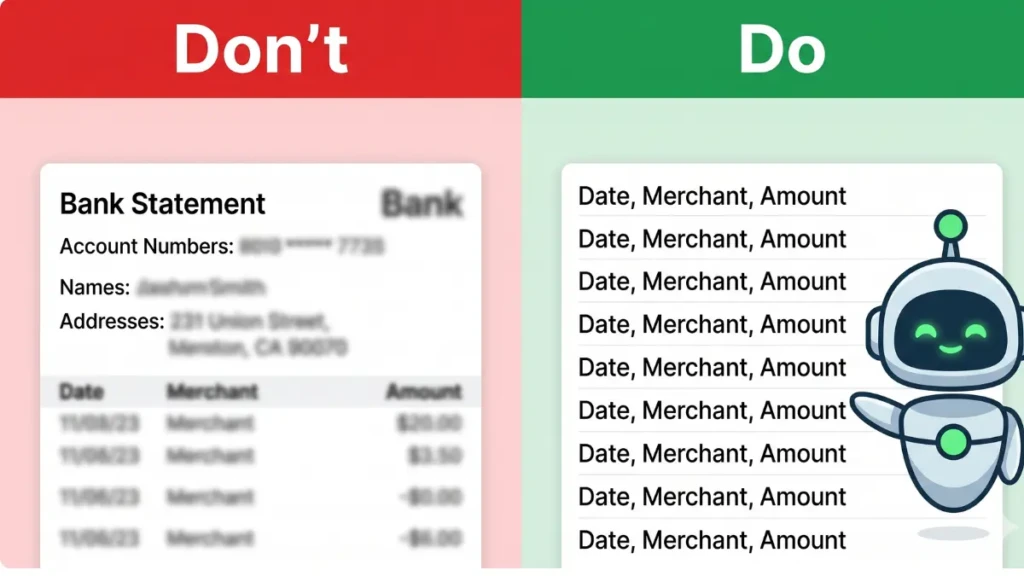
Before we deploy any AI budget automation, we must address security. Large Language Models (LLMs) learn from the data you feed them. You should never upload a raw PDF of your bank statement that includes your name, home address, and full account numbers.
The Privacy Protocol:
- You are only going to provide the AI with three pieces of data: Date, Transaction Description, and Amount.
- Do not include your account number, bank name, routing number, or personal identity. The AI does not need to know who you are to analyze how you spend.
2. Step 2: The Raw Data Export (CSV)
AI thrives on structured data. To get the best results, you need to extract your financial history from your bank’s clunky interface.
- Log into your online banking portal.
- Navigate to your primary checking account and credit cards.
- Select the last 90 days of transaction history.
- Click “Export” and choose the .CSV (Comma Separated Values) format.
- Open the file in Excel or Google Sheets, delete the columns containing your personal account numbers or running balances, and copy the remaining data (Date, Merchant, Amount).
3. Step 3: The “Master Prompt” (Categorization)
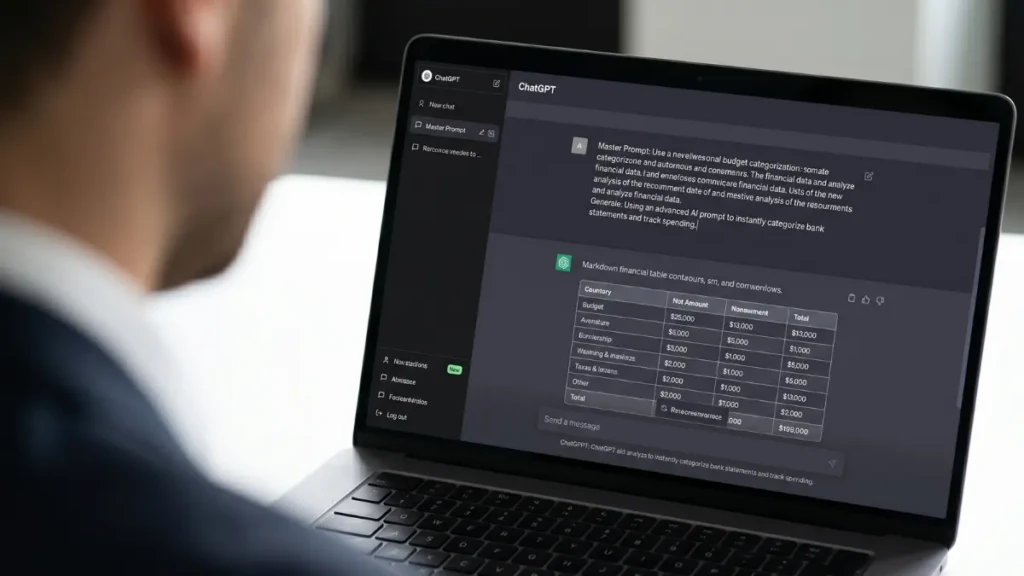
This is where the magic happens. You are going to paste your scrubbed data into a free AI tool (like ChatGPT 4o or Claude 3.5 Sonnet) alongside a highly specific command.
Do not just say, “Make me a budget.” Use this exact Master Prompt:
“Act as an elite financial analyst. Below is my raw transaction data for the last 90 days. Please analyze this data and categorize every transaction into strict budgeting categories (e.g., Housing, Groceries, Dining Out, Subscriptions, Gas, Utilities). Once categorized, provide a structured Markdown table summarizing the total amount spent in each category, the percentage of my total income it represents, and calculate my average monthly burn rate. Here is the data: [PASTE DATA]”
In under 10 seconds, the AI will process hundreds of lines of messy bank data and output a pristine, categorized financial dashboard.
4. Step 4: AI Spend Analysis (Finding the Leaks)
Once the AI has categorized your data, do not stop there. You must use its analytical power to find the “invisible” money you are wasting.
Feed the AI this follow-up prompt:
“Analyze the ‘Dining Out’ and ‘Subscriptions’ categories from the data above. Identify any recurring charges that appear to be forgotten subscriptions. Then, calculate exactly how much money I would save over the next 12 months if I reduced my ‘Dining Out’ spending by 20% and invested that difference instead.”
The AI will instantly flag that $14.99 app subscription you forgot to cancel in 2024 and show you the exact mathematical ROI of cutting back on your Friday takeout habit.
5. Predictive Cash Flow Modeling
The ultimate everyday AI hack is shifting from looking at the past to predicting the future.
Once the AI understands your baseline spending, you can use it to build a “Zero-Based Budget” for the upcoming month.
“Based on my 90-day average spending, create a strict Zero-Based Budget for next month assuming a net income of $5,000. Allocate 20% to savings/investments first, ensure all fixed utilities and housing are covered, and assign the remaining capital to variable categories. Output this as a checklist.”
You have just generated a customized, mathematically sound financial plan without opening a single spreadsheet.
Expert Insight: The Subscription Trap
We asked a fintech software developer how AI is changing the landscape of personal finance.
“Consumers don’t realize that massive corporations are already using AI algorithms to figure out how to extract more money from them through dynamic pricing and auto-renewals. If you aren’t using AI to defend your wallet, you are bringing a knife to a gunfight. Using an LLM to run a quarterly ‘Subscription Audit’ is the fastest way to claw back $500 to $1,000 a year. Let the machine find the charges your human eyes gloss over.”
Frequently Asked Questions (FAQ)
Which free AI tool is best for budgeting?
In 2026, Claude 3.5 Sonnet and ChatGPT-4o are incredibly proficient at handling structured data like CSVs. Claude tends to have a slight edge in strict data formatting and creating clean Markdown tables, while ChatGPT is excellent at predictive conversational analysis.
Is it safe to paste my bank data into ChatGPT?
It is completely safe only if you scrub the Personal Identifiable Information (PII). If you only paste a list that says “04/12/2026 | Starbucks | $6.50”, there is no way to link that data back to your specific identity or bank account. Never include account numbers or your full name.
Can AI connect directly to my bank account?
While some premium budgeting apps use AI algorithms connected via Plaid to your bank, the free method described in this guide (using an LLM like ChatGPT) does not connect directly to your bank. You must manually export and paste the data. This manual step is actually a benefit, as it acts as an absolute security firewall for your banking credentials.
Can AI help me pay off credit card debt?
Yes. You can provide the AI with your current credit card balances and their respective APRs (Interest Rates). Ask the AI to: “Calculate the fastest mathematical path to pay off these three credit cards using the Avalanche Method, assuming I have $400 extra per month to apply toward the debt.” It will generate a precise, month-by-month payoff schedule.
Command Your Capital
Budgeting used to be a tedious chore; today, it is a rapid, automated data exercise. By learning how to use free AI tools to automate your budget, you remove the emotion and friction from your personal finances. Treat your household cash flow like a corporate revenue system. Feed the data to the machine, plug the leaks, and aggressively redirect your capital toward your ultimate freedom.
Now that your budget is automated, make sure the money you do spend is working for you. Read our master guide on the [Best No-Annual-Fee Credit Cards of April 2026: Ultimate Guide].