 English










AI 3D Logo Animation Tutorial: Create Premium Branding

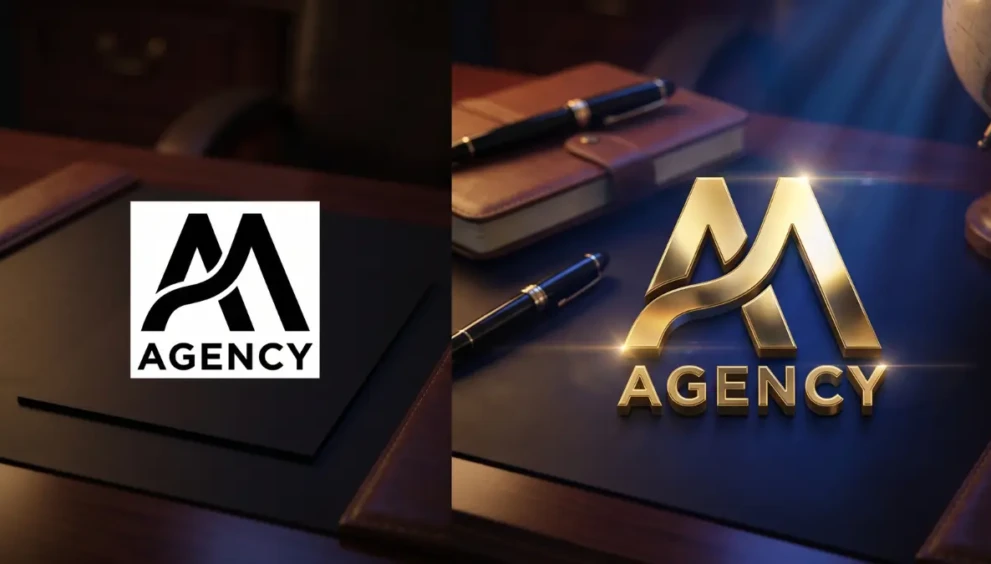
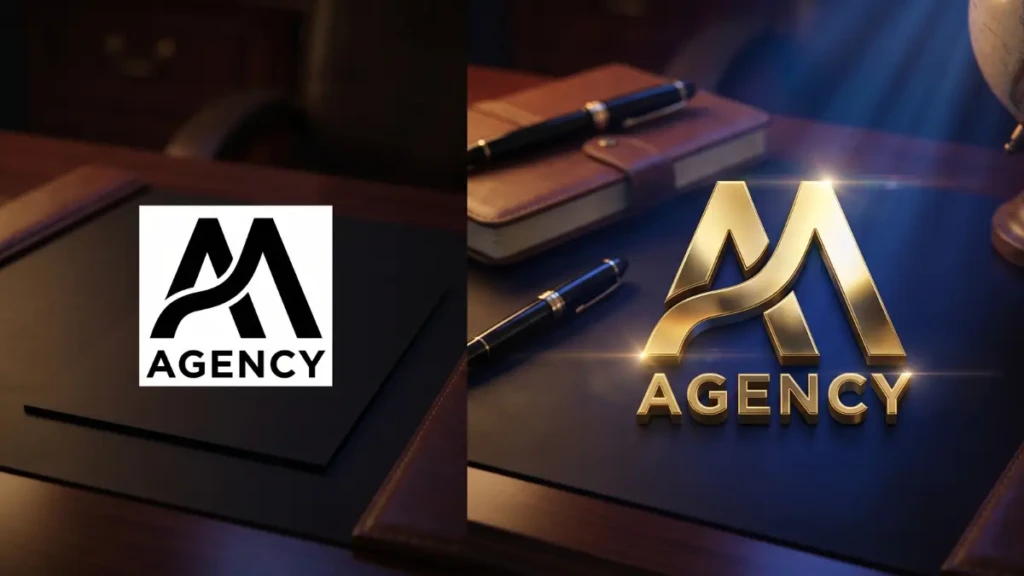
In the high-ticket digital marketing space, your visual identity dictates your pricing power before you even speak. If your agency’s video content starts with a flat, static PNG logo, you are immediately signaling low value to your prospects.
To land premium clients, you must look like a premium operation. Historically, achieving high-end agency branding meant hiring a dedicated motion graphics designer and waiting three weeks for an After Effects render.
In 2026, you can bypass the traditional production bottleneck entirely. Using a specific stack of generative AI tools, you can transform a basic 2D concept into a hyper-realistic, 3D animated asset in under an hour. Whether you want a futuristic, high-energy aesthetic or a sleek, metallic “billionaire-desk” vibe, the machine can generate it.
If you want to automate video branding and command immediate authority on your social channels, here is the exact, step-by-step AI 3D logo animation tutorial used by top-tier performance agencies.
Table of Contents
- Step 1: The “Midjourney to 3D Logo” Foundation
- Step 2: The Cinematic Logo Reveal AI (Runway Gen)
- Step 3: Runway Gen Video Editing Tricks
- Step 4: Upscaling & Sound Design
- Expert Insight: The 3-Second Visual Hook
- Frequently Asked Questions (FAQ)
1. Step 1: The “Midjourney to 3D Logo” Foundation
You cannot animate what you have not built. The first step is generating a flawless, high-resolution base image. Do not use an AI video generator to create the logo from scratch; the geometry will warp. You must use the Midjourney to 3D logo pipeline.
- The Base Setup: Open Discord and initiate the Midjourney bot. If you already have a flat 2D logo, upload it to Discord, copy the image link, and use it as an image prompt (
/imagine [Image Link]). - The Premium Prompt: To get that high-end, corporate aesthetic, your prompt engineering must be ruthless.
- Prompt Example:
/imagine prompt: [Image Link] 3D embossed metallic logo, deep navy blue background with brushed gold accents, cinematic studio lighting, volumetric rays, 8k resolution, octane render, premium corporate aesthetic, photorealistic --ar 16:9 --v 6.0
- Prompt Example:
- The Refinement: Reroll the variations until you get a flawless, 3D-extruded version of your logo that perfectly matches your brand identity. Upscale your favorite version and download it.
2. Step 2: The Cinematic Logo Reveal AI (Runway Gen)
Now that you have a high-resolution 3D asset, we need to inject motion. We will use Runway (Gen-2 or Gen-3), which is currently the industry standard for precision Image-to-Video generation.
- Log into your RunwayML workspace and select the Image-to-Video tool.
- Upload your upscale 3D logo from Midjourney into the image input slot.
- The Motion Prompt: In the text box, describe exactly how the camera and environment should interact with the logo to create a cinematic logo reveal AI.
- Prompt Example:
Slow cinematic camera pan from left to right across the 3D logo. Soft volumetric light sweeping across the metallic gold surface, subtle dust particles floating in the deep blue background, highly detailed reflection.
- Prompt Example:
3. Runway Gen Video Editing Tricks
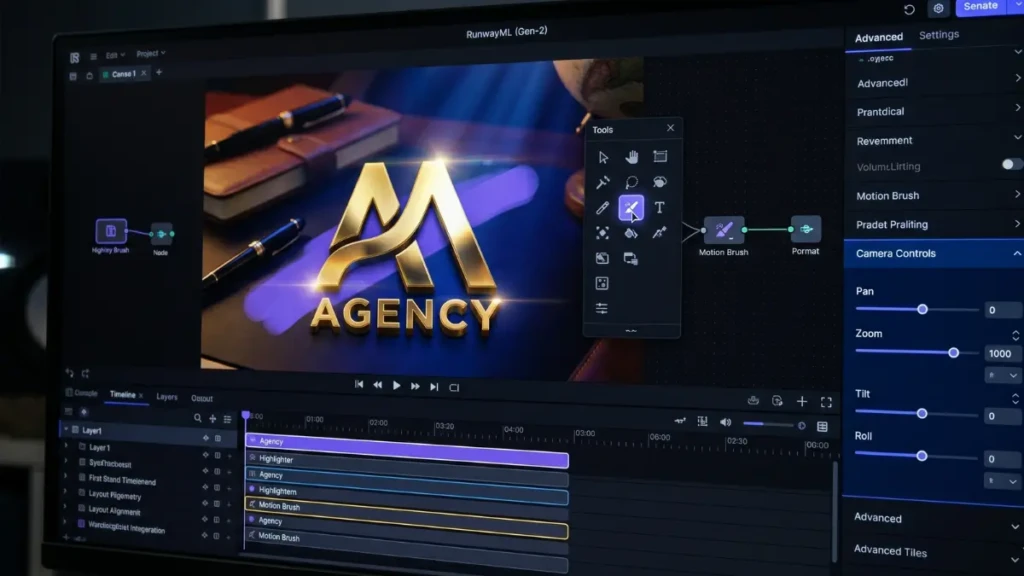
If you just click “Generate,” the AI might make your logo melt or distort. You must use specific Runway Gen video editing tricks to maintain the integrity of your brand geometry.
- Motion Brush: Use the “Motion Brush” tool inside Runway. Highlight only the background and the light source. Leave the actual logo unpainted. This tells the AI to move the environment and lighting around the logo, keeping your actual brand mark perfectly sharp and undistorted.
- Camera Controls: Open the advanced camera settings. Set the “Zoom” to a very slow +0.5 and the “Pan” to +1.0.
- Generate and Iterate: Run the generation. If the logo warps, turn down the “Motion” slider to 3 or 4 to lock the geometry in place.
4. Upscaling & Sound Design
AI video generators often output in 1080p with slight compression artifacts. A premium brand cannot tolerate pixelation.
- The Upscale: Take your downloaded Runway MP4 and run it through an AI upscaler like Topaz Video AI or the free CapCut web upscaler to boost the resolution to crisp 4K.
- The Sound: Motion without sound is cheap. Import your 4K video into your editor (Premiere Pro, DaVinci, or CapCut). Add a “deep bass cinematic whoosh” or a “metallic sub-drop” sound effect that syncs perfectly with the light sweeping across the gold accents.
5. Expert Insight: The 3-Second Visual Hook
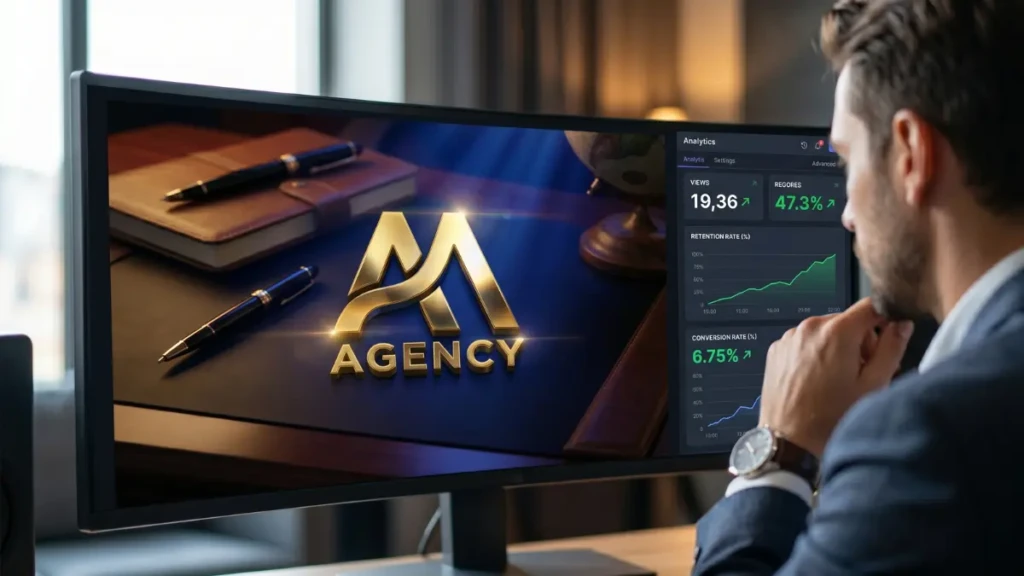
We asked a creative director for a top digital marketing agency why they invest so heavily in these micro-animations.
“In performance marketing, your conversion rate lives or dies in the first 3 seconds of the video ad. If you start your VSL (Video Sales Letter) or YouTube ad with a generic webcam shot, you lose the high-ticket buyer immediately. By utilizing an AI 3D logo animation tutorial to create a 2-second, hyper-premium cinematic intro, you instantly anchor your brand’s perceived value. It visually screams, ‘We are a highly sophisticated operation,’ before the script even begins.”
Frequently Asked Questions (FAQ)
Is Midjourney legally safe for commercial agency branding?
Yes. Under Midjourney’s current terms of service, if you are a paid subscriber, you own all the assets you generate and have full commercial rights to use them in your agency branding, client projects, and paid advertising.
How do I make the background transparent for video editing?
Runway outputs standard MP4 video files, meaning the background is baked in. To overlay your animated logo onto other footage, ensure your Midjourney prompt specifies a “solid green background” or “solid black background.” In your video editor, you can then use the “Ultra Key” (for green screen) or “Screen” blending mode (for black backgrounds) to remove it seamlessly.
Can I automate video branding for all my social media posts?
Yes. Once you have finalized your 4K cinematic logo loop, import it into a tool like CapCut or Canva. Save it as a “Brand Template.” Your team can now batch-create 30 days of Reels or TikToks and automatically apply your high-end animated intro and outro to every single video, ensuring a uniform, premium aesthetic across your entire digital presence.
Scale Your Aesthetic
You no longer have to settle for flat, uninspiring visuals. By mastering this AI 3D logo animation tutorial, you take complete control of your brand’s perceived value. Combine the rendering power of Midjourney with the motion control of Runway to build predictable, high-conversion visual assets that separate your agency from the amateurs.
Ready to pair your new visual identity with a high-performance script? Check out our masterclass on [AI Lead Generation & CRM Automation Tricks for B2B Pipelines (2026)].